Configuration - Step by step guide to setup entitlements and case milestones

   Entitlement processes and milestones are used to help an organization to adhere to service level agreements/SLAs while supporting customers. Basically you can define different support levels like Gold support level people are eligible to get issues resolved within x hours adhering to these milestones. You can follow below steps to complete configuration of entitlement process and milestones.

1) Make sure your user have "Service Cloud User" checkbox checked under user


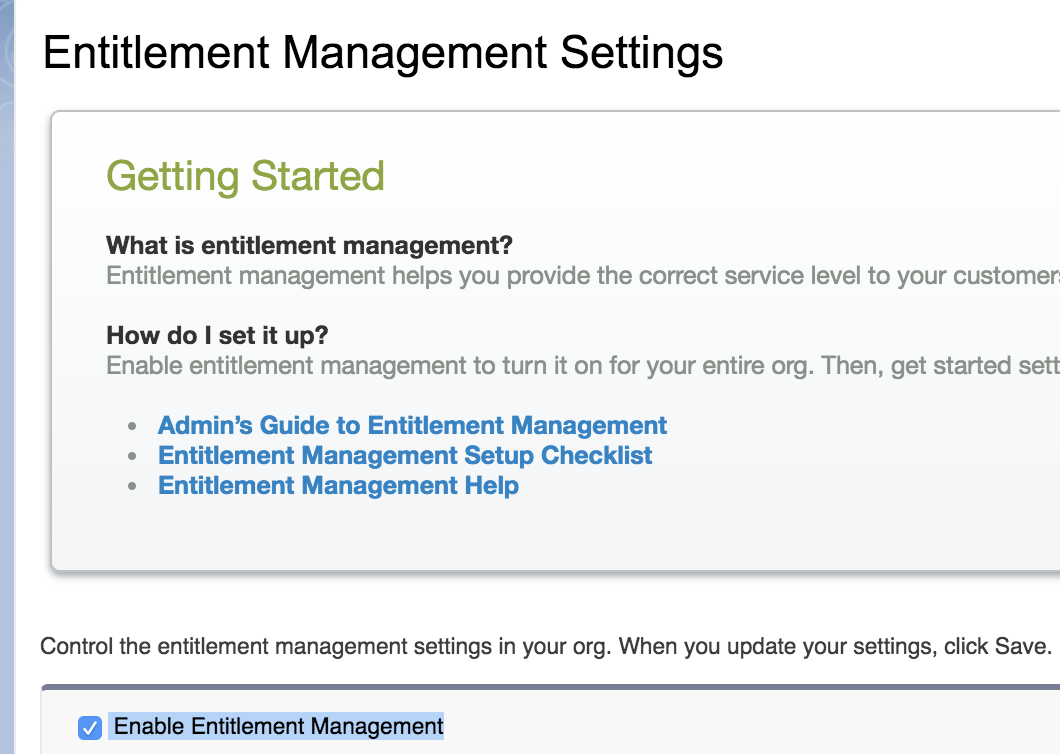
2) Go to Setup -> Entitlement Settings, Check "Enable entitlement management" checkbox
3) Go to Setup -> Milestones, create a milestone

4) Go to Setup -> Entitlement Process, create an active entitlement process on Case object

5) Under the entitlement process add the milestone created in step 3, by click "new milestone" button in entitlement process view page

6) Now go to Entitlement tab(Not under setup. It is under regular tabs). Create an entitlement record for any account record. Here we are basically saying "Acme Testing" account is eligible for "Standard Entitlement" from x date to y date.

7) Now create a case for the Account and select this entitlement record in case. 

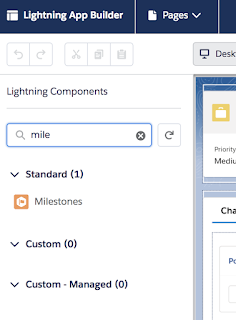
8) A Milestone also will be created automatically with the case. If you do not have "Milestone" standard component in app builder page, click settings icon -> Edit Page to edit the page and add milestone component to layout
Once the component is added to the app builder page and page is activated, you can see time remaining in the milestone in case details page
  

How to show a commandline/terminal menu

You might have seen a lot of command line tools offering a small menu with a number of options to choose from. Also you might have written some bash scripts that you want to make available in your terminal as a menu. Here you can find a good example to get started.

Sample


This menu sample code is organized into three main chunks. "show_menu" function takes care of styling and displaying options. option_picked function is used to show the option selected in a different color. Finally there is a while loop that is used to show the options continuously til you exit by hitting just enter.

Use cases

For an example, in Salesforce context you can use this script as a starter to get started with Salesforce DX commands. Salesforce DX commands are notoriously long and difficult to remember. You can setup a bash script with different options and user friendly labels. Then using the sample menu you can invoke necessary sfdx commands.
As final step you can alias the path to the bash script in you ".bash_profile" file. This will let you call your utility script anytime from terminal without worrying about path.

alias heydx="sh /Users/myname/Documents/Scripts/dxUtility.sh"

Apex Batch class template

Batch classes are used to process very large volume of data without hitting Salesforce governor limits. Batch classes should implement "Database.Batchable" interface and it has three methods that must be implemented. 

Start

This method executes only once at the start of the batch. It queries all the records that needs to be processed and passes a Database.Querylocator or an iterable of objects to next execute method.

Execute

This method gets executed multiple times for one batch invocation. The total number of records that need to be processed from start method is divided into small chunks of batch size(default is 200) and for each chunk execute method is executed one after another. Since each of these chunks get separate execution context, you get separate governor limits for each chunk.

Finish

This method gets executed once at the end of the batch. ie after all individual execute chunks are complete. This is usually used for post processing activities like sending email notifying admin that batch executed successfully. 

Sample - Batch to update number of contacts to account


Common use cases for apex batch classes are below,


  1. Process bulk data that cannot be processed in single execution due to governor limits. For example making updates to more than 10k records.
  2. If regular execution is hitting heap limit, usually we need to go for batch/future class. Regular heap limit is 6MB. But in asynchronous execution methods like batch or future classes we get a 12MB heap limit
  3. Making thousands of callouts. Suppose you have to get some details about your accounts from an external system by hitting a webservice during night. You can make only 100 callouts in one transaction.  
  4. Send custom emails(with complex data from multiple objects which is not possible with workflow) to multiple people from apex. Keep batch size 10 as salesforce allows only 10 outbound emails in single transaction
  5. Make more than 10 Future callouts. Here also keep batch size as 10 because salesforce allows only 10 future callouts in one transaction.

How to comment your apex code (sample templates)


    Commenting your code well is very important for maintenance of your code. In software field it is very common for developers to change jobs very often. So it is very important to keep the code maintainable and understandable with good comments.

Things to Notice

Primary intent of comments is to make your code self documenting

    At a minimum add class and method level comments explaining what is the purpose of the class/method. Additional comments should be added on places where explanation/clarification is required.

 Don't overdo it

    We can see people adding comments every line or every other line. That is also unnecessary. It just makes reading through code more time consuming. Please keep in mind, intent of comment is to make somebody understand what is going on in code. Add granular details only if you feel an average developer might need comments to understand the logic.

Samples

You can use below sample templates as class and method level comments,
Class level comment
Method level comment

These examples follow ApexDoc syntax requirements. ApexDoc is a java application that is used to generate code documentation from code comments. It follows Javadoc style. If you are following the ApexDoc comment pattern, you will be able to generate static HTML documentation from the code by following instructions in ApexDoc documentation. You can find ApexDoc source and instructions in the repo - https://github.com/SalesforceFoundation/ApexDoc

Reusable pagination in Visualforce page using standardsetcontroller

    It is a common requirement to paginate over a set of data in Visualforce page. There are different methods to implement a custom pagination in Visualforce pages. Most common methods are standardsetcontroller pagination and offset pagination. In this article we will go over standardsetcontroller pagination and its advantages.

Standardsetcontroller pagination

    In standardsetcontroller pagination, you reuse the methods of standardsetcontroller provided by Salesforce and extend it with your own features. This pagination helps you to navigate up to 10k records. You can make this approach very reusable by creating a generic parent class with option to set query and use standardsetcontroller methods. Then the controller of the page where you need pagination should inherit this utility class. You can find a sample for reusable utility class below,

Main query will be passed to the constructor of this class from child controller. Thereafter if required getWhereClause() and getSortClause() methods can be overridden from the child controller. A simple example of child controller reusing this pagination for pagination over account records can be found below,

You can see that the code in the controller is very less and we are just reusing most of the pagination from parent utility class. Actual page implementation can be found below,

Conclusion

    It is a very reusable method of pagination. Here you are reusing many methods from standardsetcontroller. So there is very less chance for something to go wrong. Also in order to reuse the pagination for a different object, for example contacts, the process is very simple. Only things that you need to change in the controller are the query that is being passed to parent utility class, return type and casted type of getter method. Also standardsetcontroller pagination gives ability to paginate up to 10k records, whereas custom offset pagination can be used only up to 2k records.